When Overgrow.com was taken down in 2006, the Internet lost access to over 6,000,000 posts about cannabis from over 130,000 users[1]. It was the largest source of information about cannabis ever created. Boasting information ranging from how to cultivate cannabis, to which books to read about topics regarding cannabis, to the popular strain guide to discover the genetics behind cannabis, and more.
“Started as Weedbase in 1999 by a coalition of international activists with cyber nicknames like OT1, Angrydyke, NL420 and Foolgirl, this computer-based cannabis cabal was joined by master coder Shabang sometime around 2000. Later, controlling interests were sold to an anonymous seed seller known only as “RC,” who maintained the site up until its sudden disappearance.”
The Rise and Fall of Overgrow – Chris Bennett, High Times (2006)
Over the 7 years of its existence, users from around the world contributed photos of their cultivation experiences, discussed cannabis regulations, and came together in a community considered quite taboo for the time. Visitors to the site and its related affiliates were a lot of the early adopters for things like TOR or VPN services that have been growing in popularity these days.
2006 was a different time for the Internet and cannabis. Overgrow.com (OG), CannabisWorld.com (CW), and the rest of the Heaven’s Stairway (HS) websites were removed from the Internet.
“It is with great sadness that I bring you the news that RC and HS, OG and CW have been taken down by the authorities in Canada. I have it from a bonofide source that it happened on monday and RC’s computers/servers have most potentially been siezed, they spent 2 days going thru his house and removed alot of stuff. His wife and some members of his family were also taken into custody and it’s possible that she may be released tommorrow[sic] on bail….There has not been a peep in the media about this so there could be a reason why it was not advertised by LEO……BE WARNED.”
Sad News on RC…PLEASE READ… – Gypsy Nirvana, IC Mag Founder (2006)
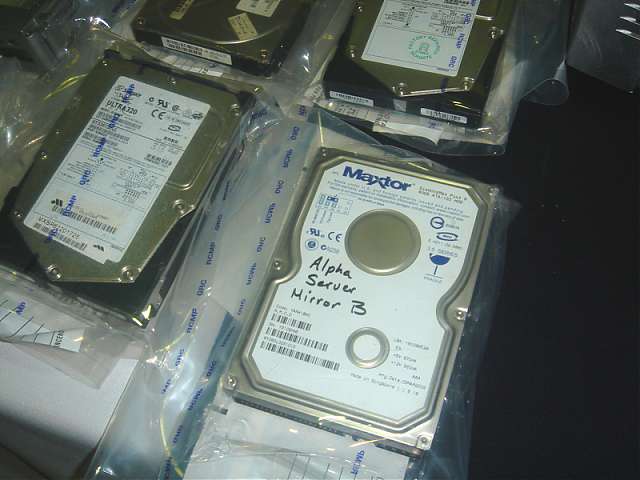
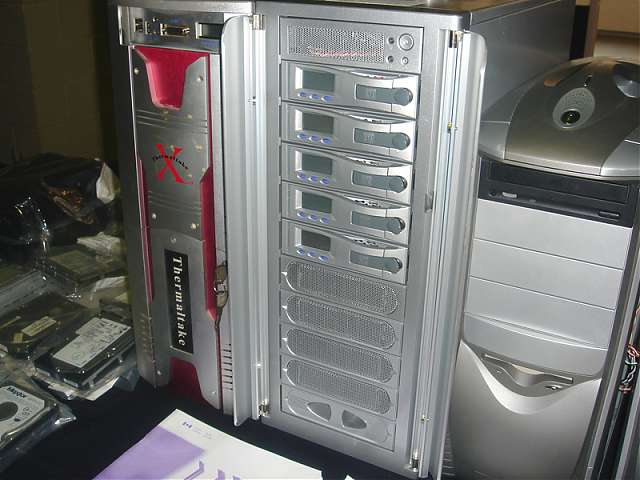
There was no greater source of information regarding cannabis in one place at the time. Overgrow.com was the Library of Alexandria for cannabis on the Internet.
Money took over and, as was often the fate in online cannabis communities during the 2000s when money took over: things went sour. Most of the information was lost forever.

Starting Smoke Reports
When I moved back to Montana in late 2006, medical cannabis had been in place for 2 years. Virginia, where I had moved from, was far from kind to cannabis at the time[2]. Moving to a medical state was an incredibly eye-opening experience. Cannabis and creators are never far from each other so I crossed paths with folks in the Montana cannabis scene quite quickly when I started working in Missoula.
Getting more involved with cannabis as I continued to work with technology in 2007, I started to seek knowledge beyond the few books available on the subject in local bookstores at the time. In 2007, one wouldn’t dream of ordering a book about cannabis and having it delivered to your house. It just wasn’t the time and place for it in little Missoula, MT.
Exploring through forums online about cannabis, it was impossible to not stumble upon skeletons of Overgrow.com. Salvaged posts, screenshots saved, archives being created. Strain guides over there. A list of books over there. “Ask the Old Farts” archives over there. These weren’t simply posts in a forum, these were guides and resources on everything about cannabis. Outdoor, indoor, hydro, soil, training, breeding; if it was cannabis, Overgrow.com had it. And so much was lost.
One of the bigger pieces that remained was information regarding the various strains. Pieces of the strain guide were compiled from here and there, and eventually a great deal of it was recovered. Hundreds of cannabis strains with information about their breeders, genetics, and histories were put together in various places. Some were more complete than others, but it was enough to get started.
Cannabis genetics and strains were absolutely fascinating to me.
My Relationship with Cannabis Deepens
Having recently upgraded my skills across the LAMP stack via a seriously over engineered solution to some interesting problems, I was itching for a side project. My SQL chops had increased dramatically thanks to the work on the aforementioned project and the PL/SQL in Postgres implementation of a complex algorithmic self-administration system for online communities[3].
I had started growing cannabis, and joined the masses before me in enjoyably logging my cannabis cultivation techniques, guides, and grows on forums. Many of these guides are still popular and reproduced on other forums today. During these periods when I was frequenting these forums and chatrooms a lot, I started to notice the need for something better than forums.
The problem, at the time, was that all of the online communities had some version of a cannabis strain guide, some way to post reviews called “smoke reports,” and some way to upload photos of strains and current grows. I created Smoke Reports to satisfy this.
First I had to compile the strains…

We Have to Start Somewhere
Late 2008, there were a few sources of information when it came to cannabis strains and genetics. While medical cannabis was taking off around the country, technology was just starting to catch up. When I began researching cannabis strains, there were a few sources to turn to:
1) Strain guides on forums.
2) Individual posts from breeders and cultivators within these forums.
3) Books like The Cannabible or The Big Book of Buds.
4) Old seed catalogues and brochures given as handouts at festivals, gatherings, or concerts.
5) Seed company websites.
6) Stoner stories.
Compiling this information and attempting to filter and cross-examine the various references seemed like a herculean task, but I felt compelled to do it.
So, I blasted through some PHP code, whiteboarded the various data models needed for a cannabis family tree database, and went to town. I got folks in chatrooms to send me scanned copies of old seed catalogues from concerts, got breeders to chat with me about their genetics, poured over books, scoured the Internet with my Google-fu, and got the strain database of Smoke Reports on its feet.
Cannabis and Education
“This paper illustrates the discrepancies created by American culture about the drug itself, diminishes the myths about it, and attempts to prove that the legalization of it would have a positive influence socially, medically, and economically to the United States.”
Marijuana – Time to Think Again? – David Drake (2005)
About 10 years ago or so, I submitted a paper to my English 302 class. We had been given the task of crafting an essay around an argument. My professor had me read mine in front of the class. Thus began my foray into educating people about cannabis.
Alongside going to classes in college, I was a substitute teacher (among other things) for a number of years, including some long term roles in mathematics and special education. I had a knack for getting people to understand things. My acting experience gave me an ease in front of people, and the ability to be engaging. I enjoyed the heck out of it, but didn’t continue teaching[4].
Using this experience and my passion for cannabis, I began to advocate for cannabis and offer information and advice to the growing number of new patients signing up for the Montana medical marijuana program. I started joining marches, got involved with Montana NORML, traveled around offering assistance for cultivation, and even setup and hosted a free day long class on cannabis.
The cannabis class was a day long information class covering a wide range of topics regarding cannabis. From the history of cannabis, to the cannabinoid biosynthesis process, cultivation, and everything in between. The “Montana Patients and Caregivers Cannabis Clinic” was hosted at the local grow shop. The website offering information read:
“This clinic is for both beginners and advanced growers. This clinic is for both patients and caregivers. We will be covering everything from UVB radiation and how it causes the full synthesization of THC during flowering, to recent studies involving newly-discovered cannabinoids that have antibacterial purposes. From indoor hydro, to outdoor soil. From conditions that promote certain sexes in seedlings, to scientific reasons for drying and curing your final product. From selecting the proper space and wattage for your grow, to ventilating and dehumidifying larger spaces. From PC cases to cabinets. From closets to basements. From getting the most painkilling potential from your strains, to how you can achieve the more soaring highs you may be looking for and the scientific reasons behind this. There are currently guest speakers lined up to talk about their specialty or experience related to growing. This is a clinic about cannabis, the plant. We will not be focusing on the legal aspects of cannabis in the state of Montana.”
I had done tremendous amounts of research and had gained a huge amount of experience regarding cannabis and I felt the need to share. The clinic was well attended with folks traveling far and wide to learn about cannabis. I stood up there and talked myself hoarse in front of all kinds of people.
The seats we rented were full. The sandwiches I bought and snacks I purchased all got eaten. All sorts showed up. Experienced growers. New growers. Ages ranged from late teens to 60s or 70s.
It felt fucking great.
The Multidisciplinary Art of Cannabis Exploration
Cannabis let me utilize every aspect of life I enjoyed. I could utilize my scientific mind for reading research papers. I could use my computer knowledge for creating software around cannabis. I could use my acting talents for speaking at rallies. I could satisfy my enjoyment of teaching a new and exciting subject. I could explore counter-cultural movements and art associated with cannabis in the veins of my creative efforts.
Cannabis and I just fit together.
Today, Smoke Reports is visited by thousands of people every day from all over the world seeking out information about cannabis. I get to lead an incredible team of people focused on the mission of providing education, outreach, and technology to the world of cannabis.
My relationship with cannabis started a long time ago, even before Smoke Reports, and it continues growing every day. The medical applications of cannabis are ridiculously exciting and promising. The industrial implications of industrial hemp production continuing to move throughout the United States and rest of the world will have an impact that few are capable of estimating.
Without an organized, open, ethical, and unbiased source of cannabis information, free from the grips of modern marketing, advertising and user tracking, the relationship between human beings and cannabis will not see the future we all worked so hard for.
And here we are. So my journey began, and so it continues today.
Follow me on Twitter @randomdrake to keep up.
[] – Heaven’s Stairway – Wikipedia – https://en.wikipedia.org/w/index.php?title=Heaven%27s_Stairway – Accessed June 28th, 2015
[] – Yes, I was the victim of being arrested for marijuana. Sounds weird to even say now that I was the reason for multiple police units, hundreds of man hours, thousands of dollars worth of resources over months of time. All for stems and a pretty glass pipe. Joined the ranks of the 7 million folks arrested for cannabis between 2001 and 2010. Minor possession, case was completely dismissed, but what an experience. Another blog for another time.
[] – The User-defined Content Quality Control (UCQC) was an amazing mess of stored procedures, triggers, and algorithms written in server-side SQL for PostgreSQL called PL/pgSQL. It was created to be flexible enough to eventually open source and utilize in any online community. We had issues of moderation in our online community and this created a way of determining the importance of users and letting their “weight” provide more influence in moderating the community. An incredible concept and experiment, it was a ton of fun to create. So many late nights on that one.
[] – This was not because I didn’t love to teach. On the contrary, I loved teaching. I could not, however, deal with the upcoming trend of standardized tests that would come to plague the public school system. Teaching was an incredible experience and I definitely need to write about those experiences more in the future.